Session setup
Configure sessions in advance. Set participant roles, assign coaches, and define the session structure before the day.
Session setup, participant management, recording, coaching, and evaluation—coordinated in one place.
The Live dashboard
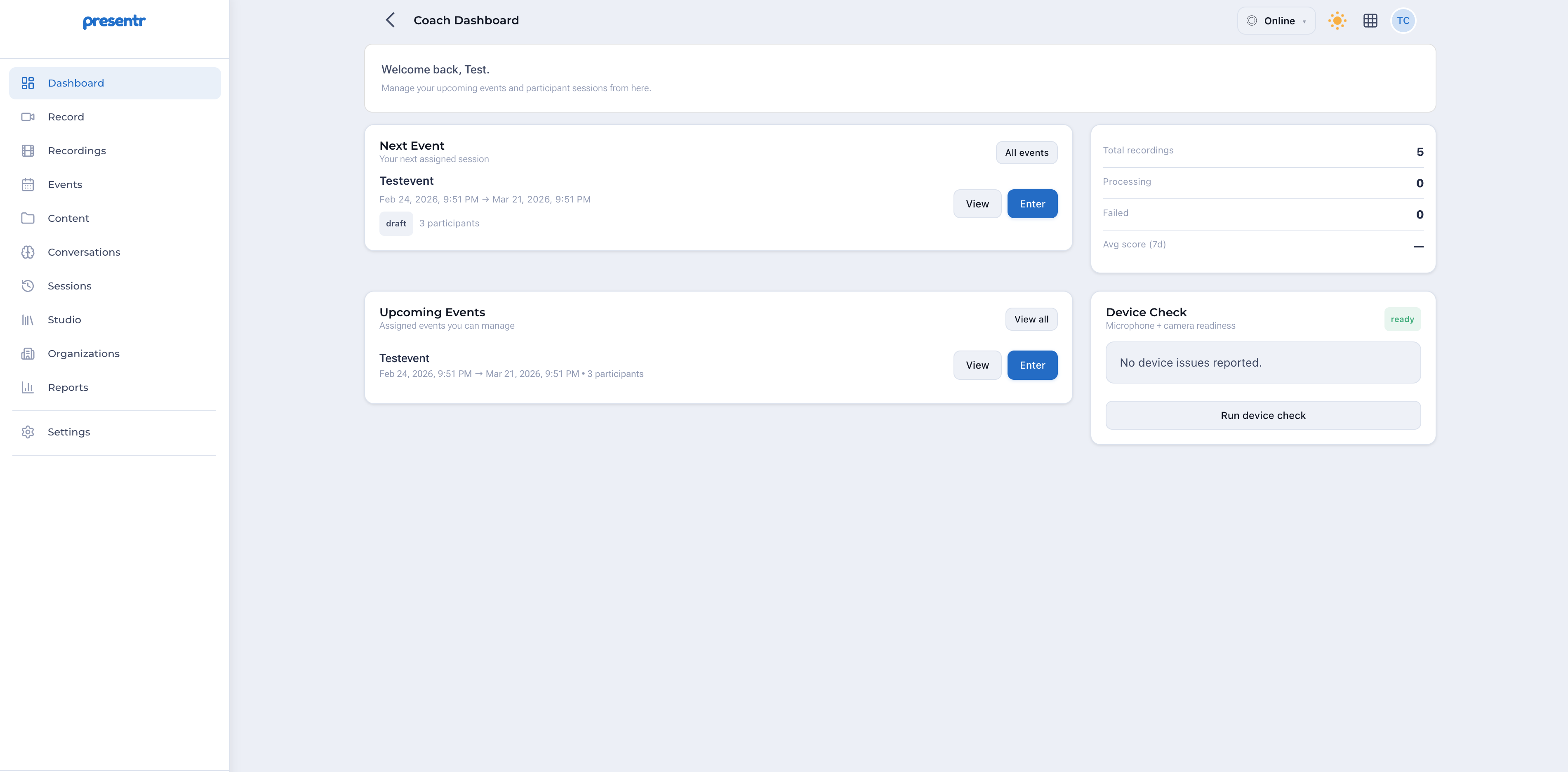
Presentr Live handles the operational side of live communication sessions. Whether you're running coaching sessions, training events, or evaluation workflows, Live gives your team the structure to manage sessions consistently and reduce manual coordination.
Configure sessions in advance. Set participant roles, assign coaches, and define the session structure before the day.
Manage speakers, observers, and coaches within a session. Clear role definitions and structured participant flow.
Structured recording that captures the session in a format ready for review—no post-processing required.
Coaches see what they need, when they need it. Notes, timing, and evaluation access during or after the session.
Access recordings and session data immediately after. Apply evaluation rubrics with consistent scoring.
Deliver structured feedback to participants. Generate reports across sessions for program-level visibility.
Presentr Live is built around a repeatable workflow that reduces coordination overhead before, during, and after each session.
Configure session details, add participants, assign coach roles, and set your evaluation rubric. Preparation is handled in Presentr—no separate documents or calendar logistics.
Participants join through Presentr. Recording starts automatically. Coaches have access to notes and evaluation tools during the session.
Session recordings are available immediately after. Coaches and reviewers access recordings without any export or transfer steps.
Apply your rubric to the session. Score performance, add notes, and flag moments directly in the recording timeline.
Finalize the evaluation and deliver structured feedback to participants. Export summary reports for program tracking.
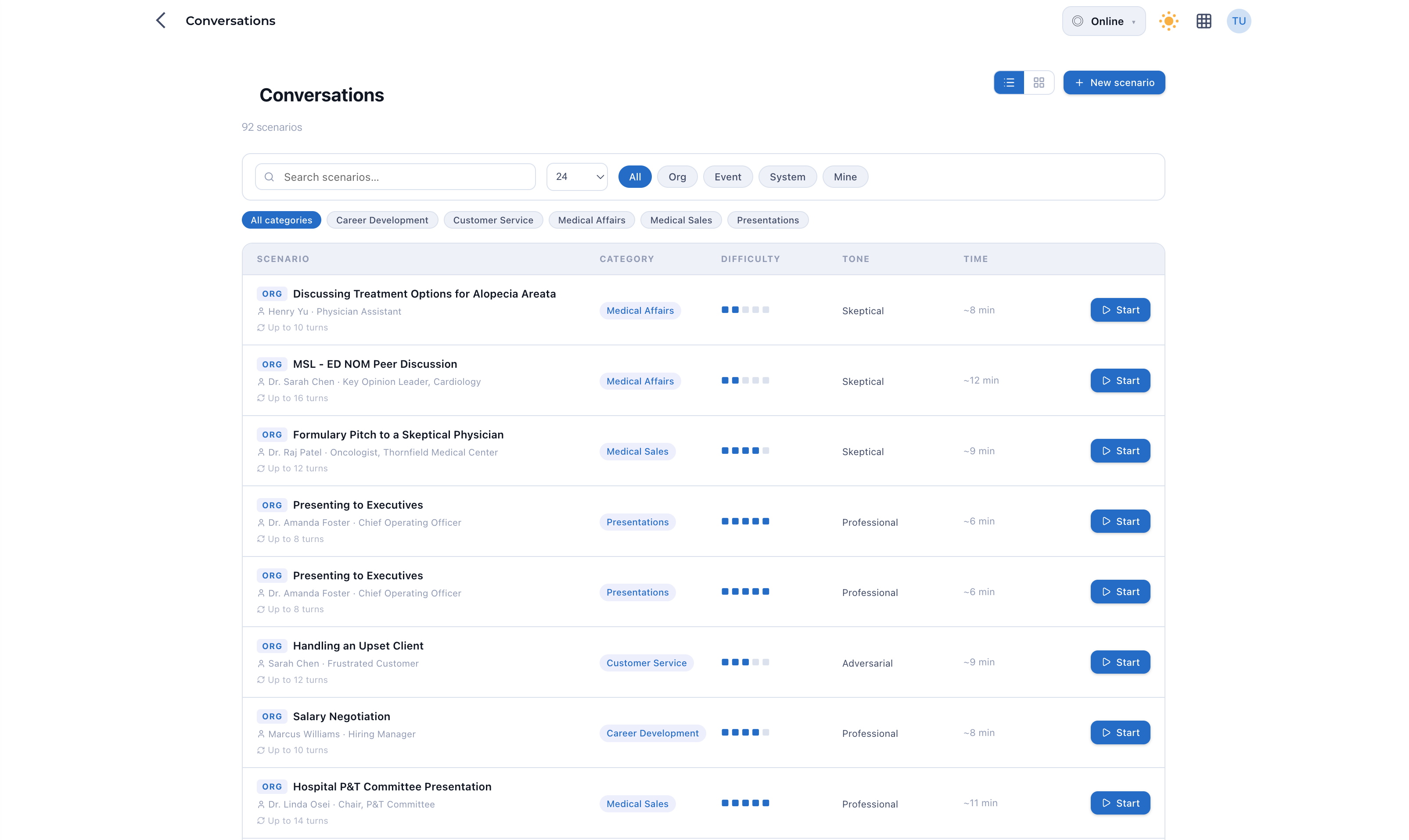
Apply rubrics to recordings and score performance across pace, volume, clarity, delivery, and engagement. Reduce variation across coaches and sessions.

Stop managing sessions across email, calendar invites, and shared drives. Presentr Live centralizes setup, recording, and review.
Apply the same rubric consistently across coaches, sessions, and programs. Reduce variation in how performance is assessed.
Recordings are available immediately. Coaches can evaluate without waiting for exports, transfers, or manual processing.
Coaches have the tools they need during the session—not just after. Notes, timing, and evaluation access built in.
30 minutes with our team. We'll walk through how Live fits your session workflow.